

If you’re tired of jumping between websites just to stay updated, RSS feeds can save you a ton of time.
The trick is finding a tool that’s simple, fast, and actually free.
In this post, we’re breaking down the best free RSS feed readers. These tools let you follow your favorite sites in one place, cut through the noise, and stay on top of the content that matters most.
The best free RSS feed readers compared
1. Feedly

Feedly is a popular RSS feed reader that lets you organize and read all your favorite blogs in one convenient place. It also comes with additional features beyond being a feed reader.
For example, share content with your team, create notes, and even enjoy the Power Search feature. Perhaps most impressive, however, is the AI research assistant – Leo – that knows how to read and analyze information, so your feeds always remain clutter free.
But in recent years Feedly has begun to move some critical free features to their paid plans. It’s still solid but it feels far more restrictive than it used to.
2. Inoreader

Inoreader is the perfect blend of RSS feed reader features for both beginners and advanced users. You can read content on the web, iOS, and even Android. Plus, you can create offline folders for accessing content whenever you want.
You can subscribe to RSS feeds, email newsletters, Facebook pages, podcasts, and more. And thanks to the automated workflow, you’ll receive push notifications when needed and all content will be marked as read when it meets the criteria you define.
3. NewsBlur

NewsBlur is another free RSS feed reader that works on the web, iPad, iPhone, and even Android. One of its most standout features is that when you want to read articles from your favorite websites, NewsBlur maintains the style of the original site.
Plus, you can organize your content with categories and tags, hide stories you don’t like, highlight those you do, and share your favorite pieces on your public blurblog.
4. Feedreader Online
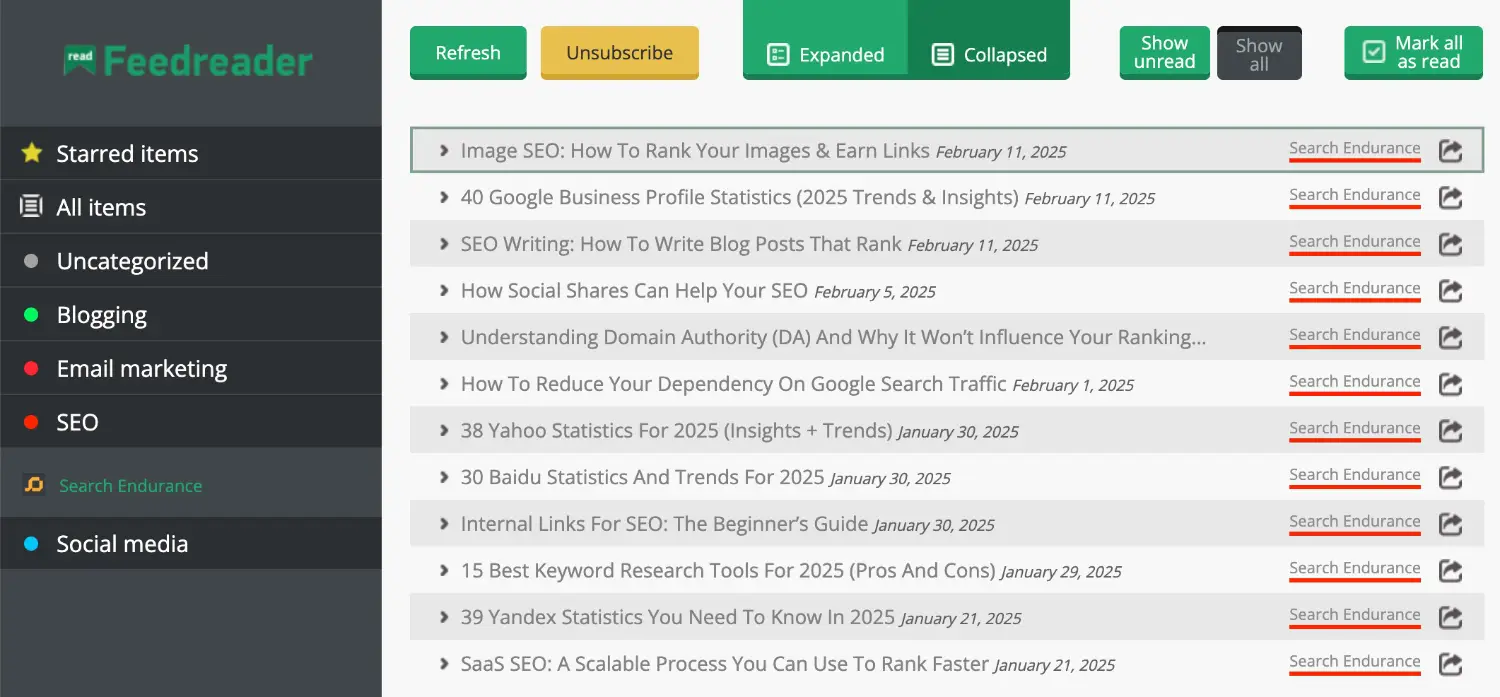
Feedreader Online is a free, web-based RSS feed aggregator that lets you read your content with ease. That said, it doesn’t lack in the feature department.
Its intuitive interface comes with advanced filtering for finding the content you want, maximum feed capacity, and even different viewing modes that will let your group headlines according to source, date, or tag.
5. Feeder

Feeder is a sleek RSS feed reader that tracks your online sources and bundles them into easy to read groups.
Push notifications, advanced filtering options, and mobile device enhancements make reading content from all over the web easier than ever. Unique to this feed reader is the fact that it also comes as a Chrome, Firefox, and Microsoft Edge extension.
6. Good News

Good News is touted as your personal news stream and comes free of charge for anyone that wants to use it.
It comes with 12 different visual styles, such as Pinboard, Comic Strip, Blog Blocks, and TweetStream, so you get your news the way you want. It also lets you create your own topics for aggregating your favorite news sites into one easy to access spot.
Wrapping up
RSS feeds may be old-school. But they’re smart.
Instead, you can get a heavily curated feed of content from the sources that you trust.
The free RSS feed readers we covered help you follow your favorite sites, blogs, and news without jumping between tabs or getting lost in the noise.
Pick one, set it up, and take control of your content. Spend less time hunting for updates and more time actually reading and acting on what matters. That’s how you stay ahead.
The alternative is relying on a social media feed curated by an algorithm designed to keep you in a constant state of outrage. So, yeah, sod that.
